Revive Your Retro Setup: The Ultimate Guide to MSX USB Mouse Adapters
If you are a fan of 8-bit or 16-bit legends like the MSX, the FM Towns, or even professional music gear like Roland Samplers, you know the struggle: finding an original, working mouse is getting harder (and more expensive) by the day.
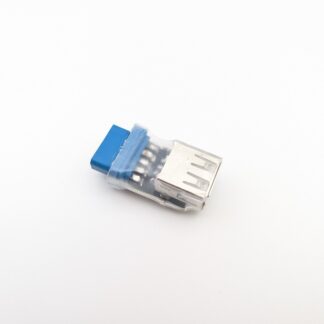
Standard PC mice use a different communication protocol than these vintage machines. However, with modern USB to MSX Mouse Adapters, you can finally ditch the sticky trackballs of the 80s for a smooth, optical USB experience.
Why Upgrade Your Legacy Mouse?
The original mice for the MSX and FM Towns used a specialized 9-pin (DB9) bus mouse protocol. Over time, these mechanical mice suffer from:
-
Perished rollers that cause skipping.
-
Corroded cables and proprietary connectors.
-
High costs on the second-hand market.
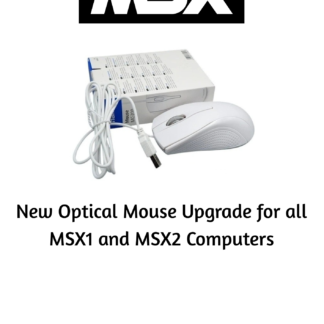
By using a high-quality adapter, you can plug in almost any modern wired USB mouse, bringing precision to your gaming, graphic design, and music production.
Universal Compatibility: One Adapter, Many Machines
The beauty of modern MSX mouse adapters is their versatility. Most are designed to be “plug-and-play” across several distinct ecosystems:
1. MSX, MSX2, and MSX2+ Computers
Whether you’re running a Sony HitBit, a Panasonic FS-A1GT, or a Yamaha CX5M, the mouse protocol remains consistent. An adapter allows you to navigate the MSX-DOS environment or play classics like Lemmings with ease.
2. The Fujitsu FM Towns
Known for its high-end multimedia capabilities, the FM Towns shares a similar mouse pinout with the MSX. A high-quality adapter will let you experience this “Japanese PC” powerhouse without hunting for rare Fujitsu-branded peripherals.
3. Roland Samplers (S-760, S-750, S-770)
In the world of pro audio, the Roland S-series samplers are legendary. However, navigating their deep menus via the front panel is a chore. These samplers use the MSX mouse standard for their external display output. Adding a USB adapter transforms your workflow, making sample editing as fast as modern DAW software.
Key Features to Look For
When choosing an adapter for your product, ensure it offers these professional-grade specs:
| Feature | Benefit |
| No Latency | Instant cursor response for gaming and music. |
| Scroll Wheel Support | Some advanced MSX software can map the wheel for scrolling. |
| USB-A Port | Compatibility with standard wired mice. |
| Durable DB9 Connector | Snug fit into the joystick ports of your retro gear. |
How to Set Up Your USB Mouse Adapter
-
Power Down: Always turn off your MSX or Roland Sampler before plugging in peripherals.
-
Connect: Plug your USB mouse into the adapter, then plug the adapter into Joystick Port 1 or 2.
-
Boot Up: Turn on the machine. Most adapters automatically detect the mouse protocol.
-
Enjoy: Experience optical precision on hardware that was built decades before optical mice were common!
Conclusion
Whether you are a retro gamer, a collector, or a music producer using vintage Roland gear, a USB Mouse Adapter is the single best quality-of-life upgrade you can buy. It preserves your original hardware while providing the comfort of modern technology.
Looking to upgrade your setup today?
and bring your MSX or Roland Sampler into the 21st century!