ADB to USB Adapter: Bring Your Vintage Apple Keyboard or Mouse Back to Life
If you have a vintage Apple Macintosh keyboard or mouse sitting in a box, there’s no reason to leave it there.
Apple’s older ADB (Apple Desktop Bus) keyboards and mice are renowned for their distinctive designs, excellent build quality and, for many enthusiasts, that unmistakable classic Mac feel. The problem is that modern computers use USB rather than ADB.
That’s where an ADB to USB adapter comes in.
Our ADB to USB adapter lets you connect compatible vintage Apple ADB keyboards and mice to a standard USB port, giving your classic Apple peripherals a new lease of life.
Use Your Vintage Apple Keyboard With a Modern Computer
Vintage Apple keyboards have developed something of a cult following — and for good reason.
Whether you prefer the feel of an original Apple Extended Keyboard, want to use an original Macintosh keyboard with a modern PC, or are restoring a classic Mac setup, being able to connect an ADB keyboard to USB makes your options much more flexible.
Instead of searching for a computer with a working ADB port, simply connect your vintage Apple peripheral through an ADB to USB adapter.
It’s plug and play, so there’s no complicated configuration process to work through.
Connect your ADB keyboard or mouse to the adapter, plug the USB connector into your computer and you can get back to using your favourite vintage hardware.
What Is ADB?
ADB stands for Apple Desktop Bus.
Apple used ADB on a wide range of Macintosh computers and peripherals, particularly throughout the 1980s and 1990s. ADB was used to connect devices such as keyboards and mice to compatible Macintosh computers.
Modern computers, however, have moved on to USB.
The result is that many fantastic vintage Apple peripherals can no longer be connected directly to a modern machine.
An ADB to USB adapter bridges that gap.
A Great Alternative to the Griffin iMate
For many classic Mac enthusiasts, the Griffin iMate will be a familiar name.
The iMate became a popular way of connecting Apple ADB peripherals to computers with USB ports. Unfortunately, the Griffin iMate has long since been discontinued, making original units increasingly difficult to find.
That can leave vintage Apple enthusiasts with an awkward choice: hunt around for an increasingly scarce discontinued adapter, or stop using their favourite ADB peripherals.
Our ADB to USB adapter provides a practical modern alternative to the discontinued Griffin iMate.
You can keep using the original Apple Keyboards and Mice you already own rather than replacing it with a modern keyboard or mouse that doesn’t have the same look and feel.
Perfect for Vintage Mac Enthusiasts and Collectors
An ADB to USB adapter can be useful for much more than simply typing on an old Apple keyboard.
It’s ideal for:
- Vintage Macintosh collectors
- Classic Mac restoration projects
- Retro computing enthusiasts
- Apple hardware collectors
- Anyone who prefers the feel of an original Apple keyboard
- Using vintage Apple keyboards with modern PCs
- Connecting classic Apple mice to computers with USB
- Bringing old Apple peripherals back into everyday use
If you have an original Apple keyboard or mouse that you love, an adapter can be a much easier solution than trying to find a compatible vintage computer.
Plug and Play — No Complicated Setup
One of the biggest advantages of a modern ADB to USB adapter is simplicity.
There’s no need to install complicated software or turn your classic Apple keyboard into a major technical project.
Simply connect your compatible ADB peripheral to the adapter and connect the adapter to a standard USB port.
That makes it particularly convenient if you want to switch between vintage hardware and modern computers without spending time configuring drivers and software.
Why Replace a Vintage Apple Keyboard?
You might be wondering why you would go to the trouble of connecting a decades-old keyboard when modern USB keyboards are everywhere.
For many people, it comes down to feel and character.
Classic Apple keyboards have a distinctive design and typing experience that modern keyboards don’t always replicate. They are also a fascinating piece of Apple and computing history.
If you’ve already got a vintage Apple keyboard in your collection, an ADB to USB adapter lets you actually use it rather than simply display it.
And if you’re restoring a classic Macintosh setup, being able to connect original peripherals is an important part of getting the right look and feel.
A Simple Way to Modernise Classic Apple Hardware
You don’t have to abandon your vintage Apple peripherals simply because computers have moved from ADB to USB.
An ADB to USB adapter gives classic Apple keyboards and mice a practical way to connect to modern USB-equipped computers.
It’s compact, straightforward and plug and play — making it an excellent option for anyone looking for a Griffin iMate alternative without giving up their original Apple hardware.
Ready to connect your vintage Apple keyboard or mouse?
If you’ve got an ADB Apple keyboard or mouse waiting to be used again, our ADB to USB adapter could be exactly what you need.
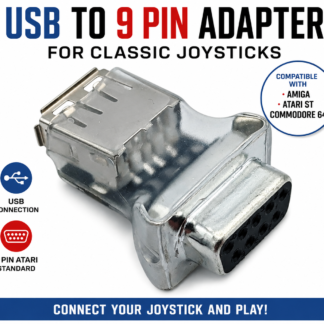
Bring your classic Apple hardware back into use and enjoy your vintage keyboard or mouse with a modern USB computer.