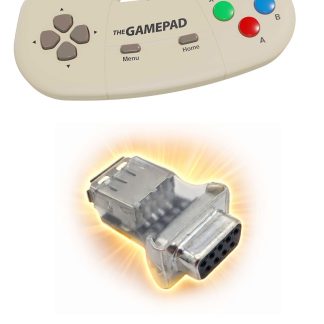
What Is an Amiga Joystick Adapter?
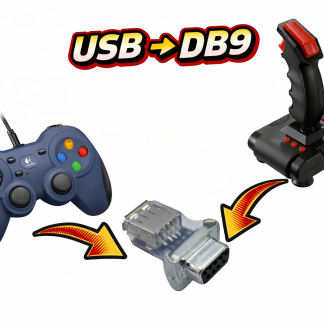
Classic Amiga joysticks use a DE-9 (DB9) port with digital signals for X/Y movement and buttons. Modern joysticks (USB, wireless, or console controllers) require an adapter to interface with these ports.
- Compatible with A500, A600, A1200, A2000
- Adapters convert USB, PS/2, or wireless signals to DB9 format
- Enables use of modern controllers in retro games
Types of Amiga Joystick Adapters
USB-to-Amiga DB9 Adapters
Allows connection of USB joysticks/gamepads to Amiga. Works with most PC gamepads and modern controllers. Some adapters are plug-and-play, others require firmware.
PS/2-to-Amiga Adapters
Converts PS/2 joysticks or mice to DB9. Reliable, low latency, and supports classic PS/2 controllers.
Wireless & Bluetooth Adapters
Allows modern wireless controllers to work with Amiga. Usually requires a USB-to-DB9 interface. Check compatibility for latency-sensitive games.
Amiga Joystick and Gamepad Compatibility Table
| Adapter Type | Compatible Amiga Models | Supports USB/Wireless | Notes |
|---|---|---|---|
| USB-to-DB9 Adapter | A500, A600, A1200, A2000 | ✔ USB | Compact, plug-and-play, reliable |
| Bluetooth Adapter + USB DB9 | A600, A1200 | ✔ Wireless gamepads | May require firmware updates |
How to Connect a USB Joystick to Your Amiga
- Turn off your Amiga.
- Connect your USB joystick to the USB-to-DB9 adapter.
- Plug the adapter into the joystick port.
- Power on your Amiga.
- Test in your favorite games or Workbench apps.
Tip: Some adapters include sensitivity settings — adjust them for smoother control.
Troubleshooting Common Issues
Joystick Not Working
- Ensure adapter compatibility with your Amiga model
- Try a different USB controller
- Do not use hubs for USB connections
Buttons Don’t Register
- Check if adapter supports extra buttons the Trumouse CD32 adapter allows upto 7 buttons in cd32 mode
- Some adapters only map the one or two buttons to DB9 – most amiga games only support 1 fire button
Which Amiga Joystick Adapter Should You Buy?
| Adapter | Pros | Cons | Best For |
|---|---|---|---|
| USB-to-DB9 Adapter | Plug-and-play, reliable | Limited to first two buttons for some adapters | Most users |
| PS/2 to DB9 Adapter | Very low latency | No USB support | Classic joystick feel |
| Bluetooth Adapter + USB | Wireless, flexible | May require firmware updates | Wireless convenience, casual gaming |
FAQ
Can I use a modern USB joystick on an Amiga?
Yes, using a compatible USB-to-DB9 joystick adapter.
Does the adapter work with A500, A600, and A1200?
Most USB adapters work across these models, but always check the product details.
Can I use wireless controllers?
Yes, with Bluetooth or USB-to-DB9 adapters designed for wireless input.
Do all adapters support all buttons?
No, some only map the first two buttons; check the adapter specs for extra button support.