Posted on

Best Amiga Compatible Game Controllers – Top Joysticks & Gamepads for Classic Commodore Amiga Systems

The Commodore Amiga remains one of the most beloved retro gaming platforms ever created. From classics like The Chaos Engine and Sensible Soccer to Turrican II, the authentic experience depends heavily on one essential piece of hardware — the right controller.

If you’re looking for Amiga compatible game controllers, choosing the correct joystick or gamepad can make all the difference between frustration and nostalgia-fueled perfection. In this guide, we’ll explore the best compatible joysticks and gamepads for original Amiga systems and modern setups.


🎮 Understanding Amiga Controller Compatibility

Most classic Commodore Amiga models — including the Amiga 500, Amiga 600, Amiga 1200, and Amiga 2000 — use the standard 9-pin D-sub (DE-9) joystick port.

This means:

  • They are compatible with Atari-style digital joysticks

  • Many Sega Master System controllers work (with limitations)

  • Certain Sega Mega Drive / Genesis gamepads are partially compatible

  • Modern USB controllers require an adapter

Because the Amiga uses digital inputs (not analog like later consoles), compatibility is largely hardware-based — making quality and wiring critical.


🕹️ Best Classic Amiga Compatible Joysticks

1️⃣ Competition Pro Joystick

A legendary choice among Amiga gamers, the Competition Pro features durable microswitches and arcade-style responsiveness. It’s ideal for action titles and platformers.

Perfect for:

  • Shoot ‘em ups

  • Arcade conversions

  • High-precision games


2️⃣ Zipstik / Zipstick

Often considered one of the most robust joysticks ever made for 16-bit computers. Built with arcade-quality components, it’s a favorite among serious retro enthusiasts.


3️⃣ Atari 2600 Standard Joysticks

Because the Amiga uses the same 9-pin standard introduced with the Atari 2600, many classic Atari-compatible joysticks work flawlessly on the Amiga.


🎮 Amiga Compatible Gamepads

While joysticks were dominant in the late ’80s, gamepads became increasingly popular in the 16-bit era.

Sega Master System Controller

Controllers from the Sega Master System are directly compatible with Amiga systems. They offer a more console-like experience, especially for platformers.


Sega Mega Drive / Genesis 3-Button Pad – Warning

Its not recommended to use the mega drive pads with Commodore Amiga computers as this could damage the Paula chip due to different wiring of the 5 volt supply pin to the megadrive pad select signal


🔌 Modern USB Solutions for Today’s Amiga Gamers

If you’re running original hardware or modern recreations like the THEA500 Mini, you may prefer USB gamepad controllers or modern joysticks

Options include:

  • USB Competition Pro replicas

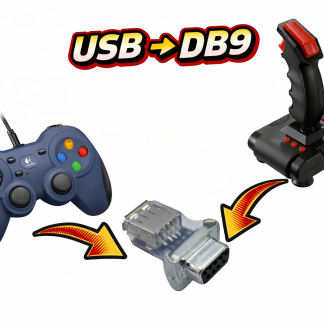
  • Retro-style gamepads with USB-to-DB9 adapters

  • Wireless controllers with Amiga-compatible adapters

Adapters allow modern controllers to function correctly without damaging original hardware.

Compatible USB controllers for the TruMouse USB to 9 Pin Gamepad Adapter with product links


⚠️ Important Compatibility Tips

Before purchasing your Amiga compatible game controller, keep these points in mind:

✔ Ensure it uses a 9-pin DE-9 connector (for original hardware)
✔ Avoid controllers requiring analog signals
✔ Check wiring compatibility for Sega pads
✔ Use trusted adapters for USB devices
✔ Confirm compatibility with your specific Amiga model


🕹️ Why the Right Controller Matters

Classic Amiga games were designed with digital joysticks in mind. Using an incompatible or low-quality controller can result in:

  • Missed inputs

  • “Sticky” movement

  • Poor diagonals

  • Unresponsive fire buttons

For competitive games like Speedball 2: Brutal Deluxe, precision makes a huge difference.

Posted on

CD32 Gamepad & Amiga Controller – 7 Button Replacement for Retro Gaming

CD32 Gamepad: The Classic Controller That’s Becoming Hard to Find

For fans of the Amiga CD32, the CD32 gamepad is more than just a controller—it’s a key part of the retro gaming experience. Released in the early 1990s, this controller was designed specifically for the CD32 console and offered 7-button support in CD32 mode, giving players full access to the console’s rich library of games. Whether you’re playing fast-paced platformers, action-adventures, or shooters, the CD32 gamepad allowed for precise control and gameplay that was unmatched by standard joysticks of the era.

While the original design was intended to be ergonomic, not every player loved the shape of the controller. Some found it less comfortable than other classic controllers, especially during extended gaming sessions. Still, the CD32 gamepad remains a defining accessory for the console, and its unique button layout continues to be appreciated by collectors and retro gamers alike.

Why Original CD32 Controllers Are Rare

Over the years, working CD32 controllers have become increasingly difficult to find. Many have suffered from wear and tear, including sticky buttons, broken cables, or faulty connectors. For collectors and retro gaming enthusiasts, locating a CD32 gamepad in good working condition can be a challenge—and when they do appear, prices can be surprisingly high. This scarcity makes replacement solutions highly desirable for anyone looking to enjoy CD32 games without compromising control or performance.

Features That Made the CD32 Gamepad Stand Out

  • 7 buttons in CD32 mode for full gameplay functionality.

  • Compatibility with both CD32 consoles and Amiga computers in standard joystick mode.

  • Classic 1990s design for authentic retro gaming.

  • Durable construction (when in good condition) that was intended to withstand hours of gameplay.

Despite some criticism of its shape, the CD32 controller is still celebrated for its versatility and the way it enhanced the gaming experience compared to typical one- or two-button joysticks.

Modern Replacement Options

For those who can’t find a reliable original, modern replacement gamepads offer a practical solution. Many of these replacements are designed in a familiar SNES-style layout, making them comfortable for extended gameplay while keeping the classic retro feel.

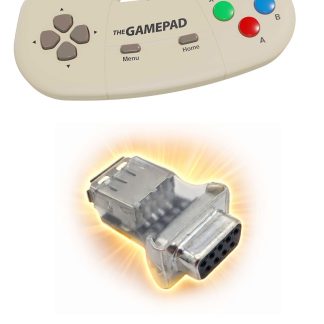
Importantly, these replacement gamepads come with a USB to 9-pin adapter, allowing them to work with both CD32 consoles and Amiga computers. They can operate in either standard Amiga joystick mode or full 7-button CD32 mode, giving you the flexibility to enjoy all your favorite games exactly as they were meant to be played.

Whether you’re restoring a retro setup, completing a collector’s console, or just looking for a dependable controller to play your CD32 games, these replacement gamepads provide compatibility, convenience, and a modern twist on a classic design.

Conclusion

Original CD32 gamepads are becoming increasingly rare, and finding one in good condition is no easy task. With 7-button support, versatile compatibility, and a unique retro design, the CD32 controller remains a cornerstone of the Amiga CD32 experience. Fortunately, replacement SNES-style gamepads with USB to 9-pin adapters now allow gamers to enjoy CD32 consoles and Amiga computers fully, whether in standard joystick mode or full CD32 mode.

These modern replacements ensure that retro gaming enthusiasts can continue enjoying classic games with reliable performance, without the frustration of hunting for a rare original controller.

Posted on

Amiga Joystick Adapters – Complete Guide to Classic, USB & Modern Options

Looking to use modern joysticks or controllers with your classic Amiga? This guide covers everything about Amiga joystick adapters, including USB, PS/2, and wireless options, compatibility with all models, troubleshooting, and recommended adapters.

What Is an Amiga Joystick Adapter?

Classic Amiga joysticks use a DE-9 (DB9) port with digital signals for X/Y movement and buttons. Modern joysticks (USB, wireless, or console controllers) require an adapter to interface with these ports.

  • Compatible with A500, A600, A1200, A2000
  • Adapters convert USB, PS/2, or wireless signals to DB9 format
  • Enables use of modern controllers in retro games

Types of Amiga Joystick Adapters

USB-to-Amiga DB9 Adapters

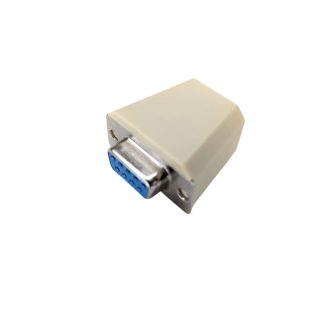
Allows connection of USB joysticks/gamepads to Amiga. Works with most PC gamepads and modern controllers. Some adapters are plug-and-play, others require firmware.

PS/2-to-Amiga Adapters

Converts PS/2 joysticks or mice to DB9. Reliable, low latency, and supports classic PS/2 controllers.

Wireless & Bluetooth Adapters

Allows modern wireless controllers to work with Amiga. Usually requires a USB-to-DB9 interface. Check compatibility for latency-sensitive games.

Amiga Joystick and Gamepad Compatibility Table

Adapter Type Compatible Amiga Models Supports USB/Wireless Notes
USB-to-DB9 Adapter A500, A600, A1200, A2000 ✔ USB Compact, plug-and-play, reliable
Bluetooth Adapter + USB DB9 A600, A1200 ✔ Wireless gamepads May require firmware updates

How to Connect a USB Joystick to Your Amiga

  1. Turn off your Amiga.
  2. Connect your USB joystick to the USB-to-DB9 adapter.
  3. Plug the adapter into the joystick port.
  4. Power on your Amiga.
  5. Test in your favorite games or Workbench apps.

Tip: Some adapters include sensitivity settings — adjust them for smoother control.

Troubleshooting Common Issues

Joystick Not Working

  • Ensure adapter compatibility with your Amiga model
  • Try a different USB controller
  • Do not use hubs for USB connections

Buttons Don’t Register

  • Check if adapter supports extra buttons the Trumouse CD32 adapter allows upto 7 buttons in cd32 mode
  • Some adapters only map the one or two buttons to DB9 – most amiga games only support 1 fire button

Which Amiga Joystick Adapter Should You Buy?

Adapter Pros Cons Best For
USB-to-DB9 Adapter Plug-and-play, reliable Limited to first two buttons for some adapters Most users
PS/2 to DB9 Adapter Very low latency No USB support Classic joystick feel
Bluetooth Adapter + USB Wireless, flexible May require firmware updates Wireless convenience, casual gaming

FAQ

Can I use a modern USB joystick on an Amiga?

Yes, using a compatible USB-to-DB9 joystick adapter.

Does the adapter work with A500, A600, and A1200?

Most USB adapters work across these models, but always check the product details.

Can I use wireless controllers?

Yes, with Bluetooth or USB-to-DB9 adapters designed for wireless input.

Do all adapters support all buttons?

No, some only map the first two buttons; check the adapter specs for extra button support.

Recommended Products

Posted on Leave a comment

amiga joystick pinout

Amiga Joystick Pinout

Amiga 9 pin Male D Sub Mouse and Joystick Port pinout / Port 1 is shared with Mouse – Port 2 is Joystick Only

  • Pin 1  = Up (Also acts as mouse direction)
  • Pin 2 = Down (Also acts as mouse direction)
  • Pin 3 = Left (Also acts as mouse direction)
  • Pin 4 = Right (Also acts as mouse direction)
  • Pin 5  = Not Connected on Joysticks (Middle Mouse Button)
  • Pin 6 = Fire Button 1 (Acts as mouse button)
  • Pin 7 = 5 Volts DC- Power Supply from computer
  • Pin 8 = Ground
  • Pin 9 = Fire Button 2 (Acts as mouse button)

All Commodore Amiga computers have two 9 pin D-SUB type connectors with male pins, Port 1 is usually used for connecting a mice, but for two player gaming the mouse can be unplugged and two joysticks or other game controllers can be connected at the same time.

The controller needs to be compatible with the Atari standard such as Competition Pro, ZipStick, QuickShot, Atari, Cheetah etc are compatible

For two player games with two controllers you will have to unplug the mouse, unless you use a joystick switcher box like the once shown below

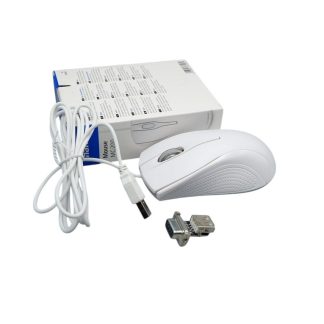
Amiga mouse adapters are now available than allow standard USB mice to be used with the amiga 9 pin mouse port, below if a mouse upgrade kit that includes a modern optical mouse and an adapter